Understanding eSIM QR Codes and Activation
Travel eSIM basics · · Last reviewed · By SMSVault Team · 5 min read
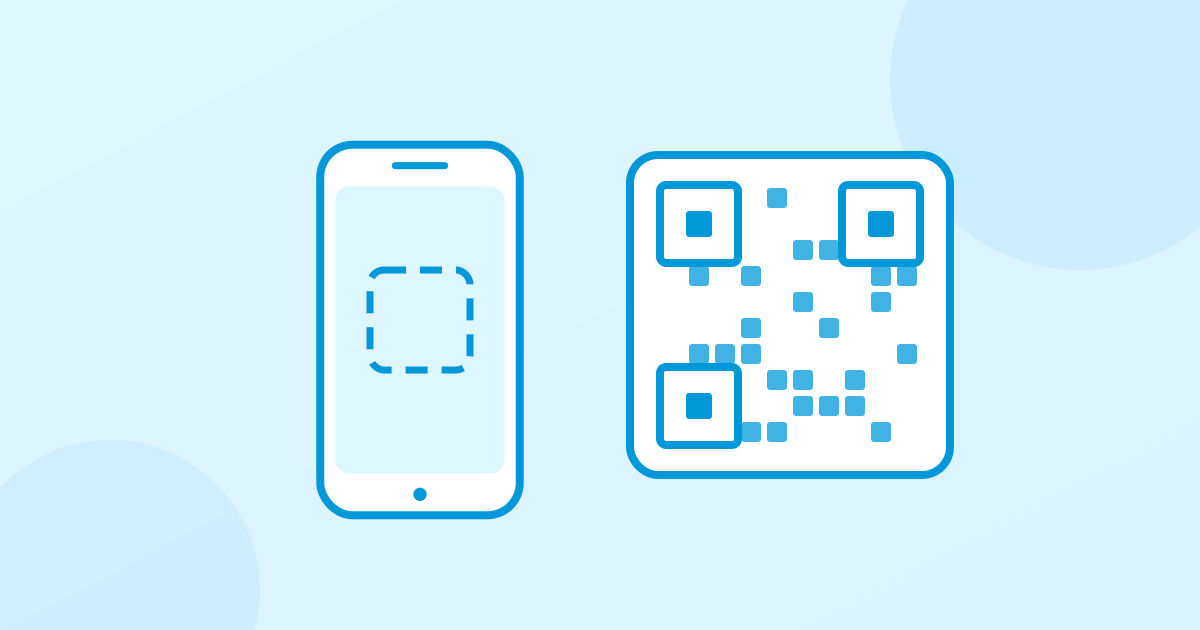
Switching to a digital SIM card has simplified how we stay connected during international travel, but the transition from a physical card to a digital profile often involves a specific bridge: the QR code. This small, pixelated square acts as a secure delivery mechanism, carrying all the network configurations your device needs to connect to local towers without needing a plastic tray.
Understanding how these codes function is the first step toward a smooth setup. While the technology behind them is complex, the user experience is designed to be straightforward. By scanning the code, you are essentially telling your phone where to find its new digital identity and how to communicate with a remote server to finalize the connection.
The Anatomy of an eSIM QR Code
At its core, an eSIM QR code is a visual representation of a string of text known as the activation string. This string contains three primary pieces of information: the address of the network's subscription management server, a unique activation code, and sometimes a confirmation code for added security. Without this data, your device wouldn't know which specific server to contact to download your data plan.
When you point your camera at the code, your phone translates those black and white modules into a URL. The device then sends a request to that URL, identifying itself and requesting the download of the digital profile associated with your purchase. It is a highly encrypted process that ensures the data plan is delivered only to the device intended to receive it.
Because these codes contain sensitive network credentials, they are usually intended for single-use. Once the download process is completed and the profile is securely stored in your device's specialized hardware chip, the code typically becomes inactive. This prevents unauthorized users from attempting to intercept or replicate your mobile connection.
Preparing Your Device for Activation
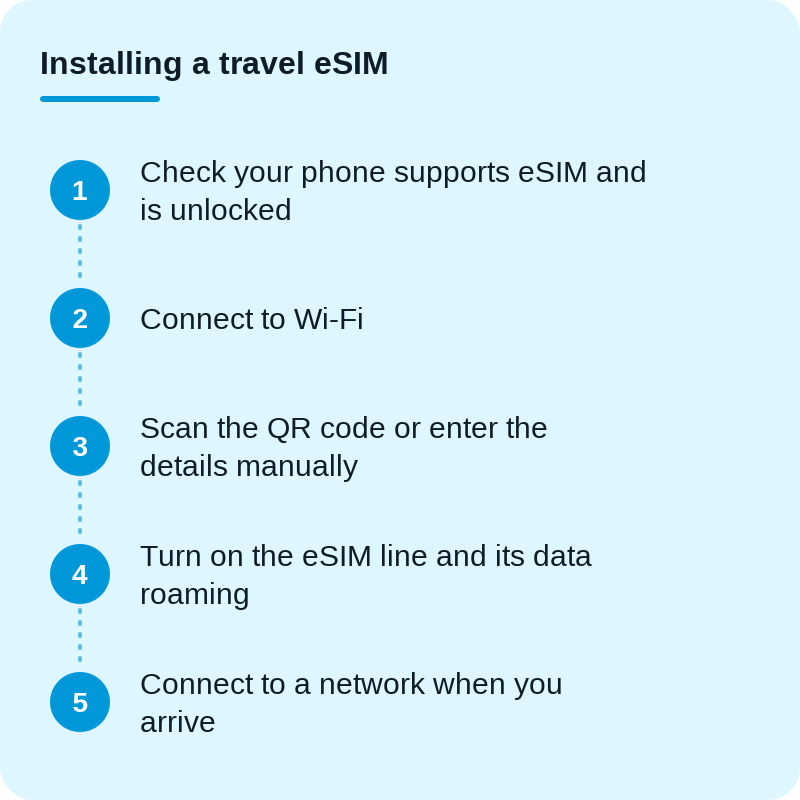
Before you attempt to scan an esim qr code, there are a few prerequisites to check. First, your device must be unlocked by your original carrier. If a device is locked to a specific network, it will generally refuse to install a digital profile from any other provider, regardless of how many times you scan the code. You should check with your device maker or carrier to confirm your phone's lock status.
A stable internet connection is the most critical requirement during the scanning process. Since your phone needs to download a small but vital file from a remote server, a weak or intermittent Wi-Fi signal can cause the activation to time out or fail. It is usually best to perform the scan while connected to a reliable home or hotel Wi-Fi network rather than relying on a spotty public hotspot.
Finally, ensure your device's operating system is up to date. Manufacturers frequently release patches that improve how the hardware interacts with digital SIM profiles. An outdated system might encounter errors during the handshake between the phone and the activation server, leading to frustration during what should be a simple setup.
Step-by-Step Activation Workflow
The process usually begins in your device's settings menu, under the cellular or mobile data section. Most modern devices have a specific button labeled 'Add Data Plan' or 'Add eSIM.' Once you select this, the camera interface will open, prompting you to align the square within the frame. Once the esim qr code is detected, the phone handles the rest automatically.### Manual Activation Method,
Troubleshooting Common Scan Failures
If your camera fails to recognize the code, the most common culprit is screen glare. If you are trying to scan a code displayed on a laptop or tablet, the reflection of overhead lights can obscure the pattern. Try adjusting the brightness of the screen or moving to a different lighting environment to ensure the camera can clearly distinguish the black and white pixels.
Another issue arises when users try to 'open' the QR code using a standard camera app or a third-party scanning app. For the activation to work, the code must be scanned through the specific eSIM setup menu within your phone's system settings. A standard camera app might simply display a link that doesn't trigger the internal download process correctly.
In rare cases, a firewall or restrictive network setting on your Wi-Fi might block the connection to the activation server. If you are certain your device is compatible and unlocked but the scan still fails, try switching to a different Wi-Fi network or, if possible, use a mobile hotspot from another device to complete the initial handshake.
Managing Multiple Profiles and Privacy
One of the greatest benefits of this technology is the ability to store multiple profiles on a single device. While only one or two can be active at the same time depending on your hardware, you can keep several travel plans stored for future use. This is particularly useful for frequent travelers who visit the same countries regularly and want to reactivate a plan quickly.
From a privacy perspective, using digital plans allows you to keep your primary home number active for calls and texts while using the travel plan exclusively for data. This separation helps you avoid high roaming fees while ensuring you don't miss important notifications from home. You can usually toggle between these lines in your settings without ever needing to remove a physical card.
For those who need to maintain privacy while signing up for new services abroad, combining a travel plan with temporary mobile numbers is a smart strategy. Using a service like SMSVault allows you to receive SMS verification codes via temporary numbers from over 150 countries. This keeps your personal number private while you navigate local apps and services on your trip.
Final Steps for a Successful Connection
Once the scan is complete and the profile is installed, there are often a few final toggles to check. You will likely need to enable 'Data Roaming' for the new digital line specifically to ensure it can connect to the local partner networks in your destination. Don't worry—as long as you have selected the correct line for your data, your home carrier won't charge you roaming fees.
If you encounter any issues with the service after a successful scan, a simple restart of your device often resolves the problem. This forces the hardware to re-scan for local towers and establish a fresh connection with the new credentials. If the plan still doesn't work, verify that the APN settings have been automatically configured; if not, you may need to enter them manually as provided by the service.
Ready to explore the world without the hassle of local SIM cards? SMSVault offers travel eSIM data plans alongside its temporary phone number services, ensuring you have the tools you need for both connectivity and privacy. Top up your balance easily with USDT on BNB Smart Chain (BEP-20) and start your journey with confidence.
Frequently asked questions
Ready when you are
Browse travel eSIMsArticles are for general information and are reviewed by the SMSVault team.