Google account SMS verification not arriving: causes and fixes
SMS verification & privacy · · Last updated · By SMSVault Team · 5 min read
Google verification codes often fail to arrive because of poor cellular signal, carrier-level filters blocking automated messages, or incorrect phone number formatting. To fix this, you should first check your network connection, restart your device, or try an alternative verification method such as a temporary phone number for privacy.
Waiting for an SMS that never shows up is a common frustration when trying to access your email or secure your account. Understanding the technical reasons behind these delays can help you resolve the issue quickly and regain access to your digital life.
Common Network and Device Obstacles
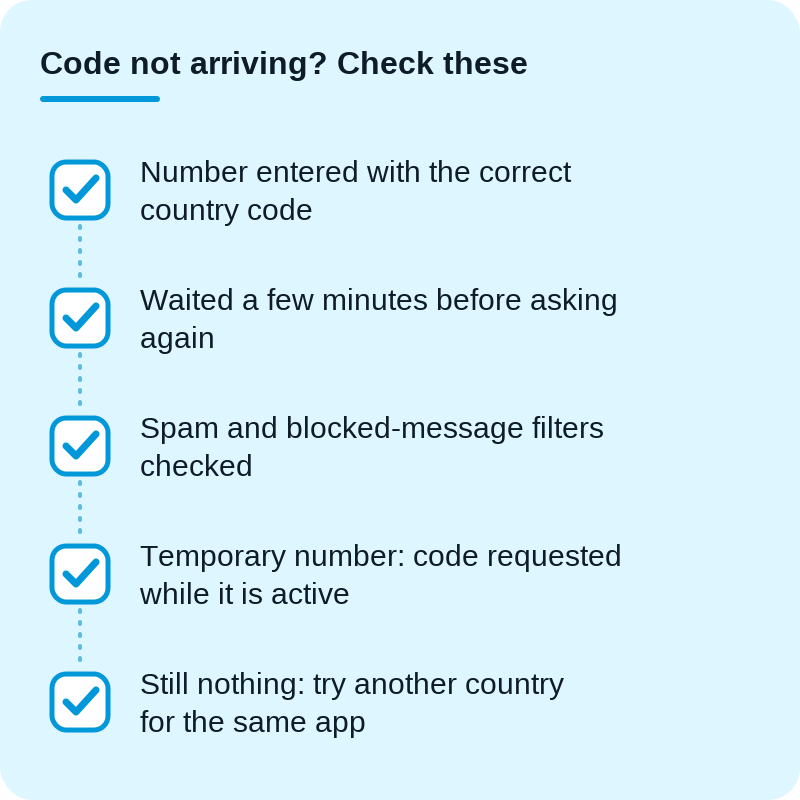
One of the most frequent reasons for a google verification code not received is a simple lack of signal. If you are in a building with thick walls or in a remote area, your phone might show bars but still struggle to process incoming automated SMS traffic. Toggling Airplane Mode on and off can often force your device to reconnect to the nearest tower and clear any pending messages.
Software settings on your phone might also be the culprit. Check if you have any "Block Unknown Senders" or spam filter settings enabled in your messaging app. These tools are designed to keep your inbox clean, but they often accidentally sweep up the short-code numbers used by large tech companies to send security tokens.
Tip: Ensure your phone has enough storage space. If your device storage is completely full, it may stop accepting new incoming text messages until you delete some old files or photos.
Carrier Filters and International Issues
Mobile carriers sometimes implement aggressive filters to prevent spam from reaching their customers. Unfortunately, these filters can sometimes flag legitimate verification traffic as suspicious. If you have recently switched carriers or updated your plan, you may need to contact your provider to ensure that "short-code messaging" is enabled on your account.
If you are currently traveling, receiving codes becomes even more complicated. Roaming agreements between international carriers do not always prioritize SMS delivery for automated services. For more information on managing your mobile needs while abroad, you might want to read our guide on receiving SMS while traveling to understand how location affects your connectivity.
In some cases, the problem lies with the formatting of the phone number itself. When entering your number into a sign-up form, always double-check that you have selected the correct country code and omitted the leading zero if the form requires it. Small errors in the digits will naturally result in the code being sent to a non-existent destination.
Using Temporary Numbers for Verification
Many users prefer not to use their personal phone number for every digital service they join. Using a temporary number for Google is a practical way to keep your private data separate from your online accounts. This can also be a useful workaround if your primary SIM card is currently out of service or has no reception.
When you use a professional service to get a code, you select the specific service and country you need. This is helpful because the system only shows combinations that have passed recent availability checks. You can browse the pricing page to see the current costs for different regions and services before you start.
It is important to note that while temporary numbers are highly convenient, some platforms have strict policies regarding virtual numbers. Some services may refuse to send a code to certain ranges of numbers. If this happens, a reliable provider will usually offer an automatic refund to your balance if no SMS arrives within the allotted time, allowing you to try a different number without extra cost.
The Role of Privacy and Security Settings
If you are concerned about your digital footprint, you might be looking for ways to receive an SMS verification code online instead of using your long-term mobile contract. This is a common part of modern privacy habits for sign-ups, as it prevents your personal number from being added to marketing databases.
Sometimes, the delay in receiving a google verification code not received is due to the account's internal security settings. If Google detects that you are logging in from a new location or a new device, it might trigger additional layers of verification that take longer to process. Using a dedicated number for that specific region can sometimes help streamline this process.
Always remember to follow the terms of service of the platform you are accessing. Using a temporary number is a legitimate way to manage your privacy or test your own app's sign-up flow, but it should never be used to violate the rules or policies of the service provider.
Next Steps for Successful Account Access
If you have tried every device fix and your google verification code not received persists, it may be time to consider a temporary solution. You can access a wide range of numbers from various countries to help you get the code you need. This flexibility is especially useful for developers testing international sign-up flows or travelers who are between SIM cards.
To get started, you can simply top up your balance using crypto at the checkout. If you are a new user, you can even check the pricing page for any current starter credit offers that might be available for new accounts. This allows you to test the service with minimal commitment.
Once you have your number, simply enter it into the verification field and wait for the code to appear in your private dashboard. If for any reason the code does not arrive before the number expires, your balance is protected by an automatic refund policy. This ensures a stress-free experience as you work to secure your accounts and maintain your online privacy.
Frequently asked questions
Ready when you are
Get a code for Google verificationArticles are for general information and are reviewed by the SMSVault team.