SMS Verification Code Not Received? 8 Checks
SMS verification & privacy · · Last updated · By SMSVault Team · 2 min read
If your SMS verification code has not arrived, check your signal, spam folder and international phone number format first, then respect the sending service's resend limit. For a temporary number, check your active order page and expiry instead of your phone's messaging app; delivery and acceptance by the service are not guaranteed.
The eight checks below cover network and phone settings, blocked messages, number format, repeated requests, browser or app problems, virtual-number restrictions, temporary orders and contacting support. If an SMSVault order remains unresolved, contact support rather than paying again for that order.
1. Check signal and network
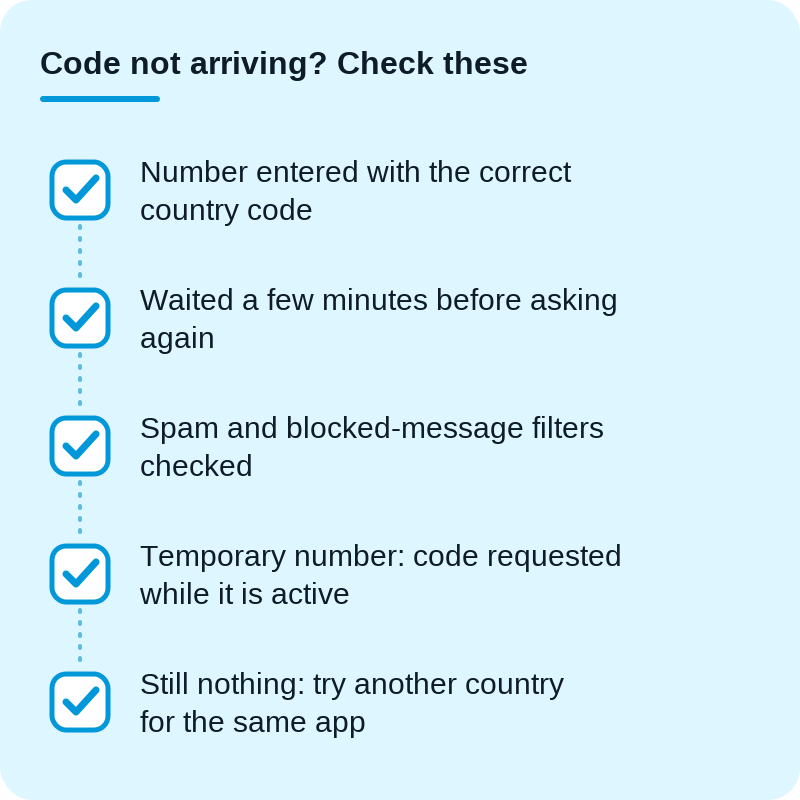
Weak signal is the most common reason a text message verification code is delayed. Text messages need a cellular connection even when Wi-Fi works. Turn Airplane Mode on for ten seconds, then off, so your phone reconnects to the nearest tower. Abroad, confirm roaming allows incoming texts. Then wait two to three minutes before you request another verification code.
2. Check spam and blocked folders
Phone spam filters sometimes hide a valid OTP. Open your messaging app and look in the Blocked or Spam folder. Make sure Do Not Disturb or a Focus mode is not hiding the alert, and that your inbox is not full.
3. Check the phone number format
Most sites expect the international format: a plus sign, the country code, then the number. If the country code is already included, drop the leading zero of the local number. Confirm the country in the dropdown matches your number, because one wrong digit sends the code nowhere.
4. Do not request codes too fast
Tapping "Send code" repeatedly can make a service temporarily limit your requests. Wait a few minutes between attempts and use only the newest code, since older ones often stop working.
5. Try another browser or device
Cookies or extensions can break the "Send code" button. Try a private window, another browser, or the app instead of the website. Updating the app can also help.
6. Know the virtual number limits
Some platforms send codes only to real SIM numbers and refuse a virtual number, a check often called non-VoIP. The site may block it silently, so the verification code never arrives. Try a number from another country, and follow the site's terms of service.
7. Using a temporary phone number
When you receive SMS online with a temporary phone number, delivery depends on the country, the service and the moment. Read the refund and expiry rules before you pay, so you are not charged if no code arrives. At SMSVault, an order with no code before the timer ends is refunded. Choose a service and country on the [number picker](/) to see price and stock. Stock does not guarantee delivery.
8. Contact support
If nothing works, contact the website's support, or ours at smsvault.io@gmail.com if you ordered here. Include your order link, the service and the country you chose.
Frequently asked questions
Ready when you are
See available numbers for this serviceArticles are for general information and are reviewed by the SMSVault team.